Posts

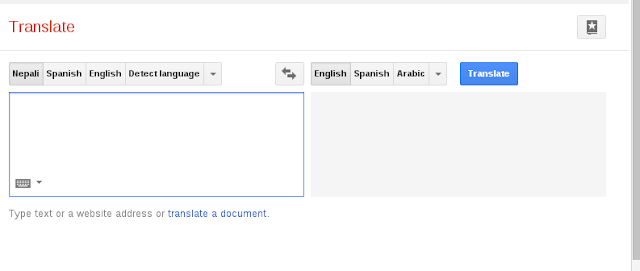
Google translate adds Nepali Language Conversion
Image
http://translate.google.com/ I believe you must be familiar with Google Translate . If you're not yet familiar then Wikipedia explains it as: "Google Translate  is a  free , multilingual  statistical   machine-translation  service provided by  Google Inc.  to translate written text from one language into another." Its been helping users in translating text and documents from one language to another language.  And now Google Translate has added Nepali Language too. This is a good news for all of us to have Nepali Language in Google Translate. Yet the Nepali Language conversion needs our support for better translation. If you are interested in making this service better than you can visit :   http://translate.google.com/question?hl=en&sl=ne&tl=en  and help Google Translate better in Nepali Language Translation. You don't have to write all the translations to contribute, you can just rate the already translated texts to c...

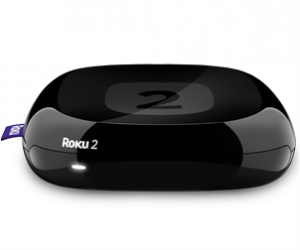
Adding Splash Screen in Roku Channel

Image
Roku Splash screen is the screen that appears in the screen before a channel's home screen is loaded. To add splash screen to your Roku application first off you need to create two images to be used as Splash Screen. One of the image will be used for SD  and the other for HD. Let Splash_SD43.jpg is the image for SD view and Splash_HD.jpg be for HD. The size of SD splash screen must be 720 x 480 and for HD splash screen must be 1280 x 720. Put both the images in images folder and add the following lines to manifest file. splash_screen_hd=pkg:/images/Splash_HD.jpg splash_screen_sd=pkg:/images/Splash_SD43.jpg splash_color=#000000 splash_min_time=5000 splash_screen_hd specifies the HD image, splash_screen_sd specifies the SD image, splash_color specifies the color of the splash background and splash_min_time is used for the splash time.

Parsing JSON in BrightScript Language for Roku

Image
This is an example application for Roku box which parses JSON response from a url e.g. http://example.com/index.php. For this application, the output is seen only on debugger console of Roku box. So to open debugger console telnet to your Roku box at port  8085 i.e. telnet ip_of_your_roku 8085. Sample JSON response from the url used in this example is as follows: [  {      "ch_id": "1",      "ch_title": "CHANNEL 1",      "ch_logo": "channel1.png",      "stream": "channel1.stream",      "server": "54.234.181.51" },  {      "ch_id": "2",      "ch_title": "CHANNEL 2",     "ch_logo": "channel2.png",     "stream": "channel2.stream",      "server": "54.234.181.51" },  {      "ch_id": "3",      "ch_title": "CHANNEL 3",      "ch_logo": ...

Getting the type of a variable

Here in this post I am going to show you some example of getting the type of the variable: From the following tests I have done you will definitely get the way how we can get the type of the variable. The common way is to use type(variable_name) which result in <type 'type_of_variable'> now if you want to get the 'type_of_variable' only then you would have to use type(variable_name).__name__. >>> a=3.42 >>> type(a) <type 'float'> >>> type(a).__name__ 'float' >>> class Book: ...     name='' ...     author='' ... >>> b=Book() >>> type(b) <type 'instance'> >>> b <__main__.Book instance at 0xb767d58c> >>> type(b) <type 'instance'> >>> type(Book) <type 'classobj'> >>> type(Book()) <type 'instance'> >>> type(Book).__name__ 'classobj' >>> type(Book()).__name_...

Brute-forcing ftp accounts

Image
If you have read my previous post " Bruteforce a router to hack admin password using Hydra  " then you might have learned how to brute-force attack on http authentication. Now if you just tweak the command a little then you can use the same for brute-forcing ftp too. An example is as follows: hydra -l username -P password.lst ftp://example.com Your password.lst must have the matching password. So you need to create a file that has most possible combinations. If you are unsure about the username too then you can use -L switch as follows: hydra -L user.txt -P password.list ftp://example.com You can create a user.txt file by writing the possible usernames in a single line as follows: admin administrator sysadmin webmaster root test

Using HLS urls in playlist with jwplayer6

JW Player is has been a great online video player. It has both Flash and HTML5 implementation supporting most of the streams like rtmp, HLS. Here in this post, I am going to show you how you can use jwplayer with a playlist which will have hls streams. My playlist for the player is hls playlist.rss which is as follows: <rss version='2.0' xmlns:jwplayer='http://rss.jwpcdn.com/'> <channel> <item> <title></title> <description></description> <jwplayer:image>http://dvtvonline.com/uploads/video_thumbs/1384483889_Episode7TheStickySituation.mp4.mp4.jpg</jwplayer:image> <jwplayer:source file='http://barakyah.videocdn.scaleengine.net/barakyah-vod/play/sestore1/barakyah/dvtv/1384483889_Episode7TheStickySituation.mp4.mp4/playlist.m3u8' /> </item> <item> ...

Playing HLS Stream videos in ipad

The easiest way to play HLS stream video in ipad using html element is using the embed tag. An example of a player using the embed tag is as follows:  <embed style="width:100%, height:'auto';" src="http://server:port/path/file.m3u8"                        type="application/vnd.apple.mpegurl" postdomevents="true" /> For the code to work please replace the source with actual hls stream.