Posts

Another spam on facebook

Image
Seen this on Facebook. Impressed huh? to get a friends Email and Password. Wait you are going to be a victim of a Facebook spam. This spam will tag all your friends in this image. The spam is posted by  https://www.facebook.com/TheMixer97  and the link for the spam is  here . The spammer has instructed to copy the code from the link  http://pastebin.com/raw.php?i=TFjiX7Gq  and copy it and go to a friends profile and paste the code in the link page and paste it in console of the browser. And in 5 minutes you'll get the friends Email and Password. But this is not what happens. In those five minutes the code will tag all your friends. 
Script to turn your fedora into a tigerbox

Image
Tigerbox is a term used by hackers which refers to a system where they have loaded their hacking software and utilities. In this post I have included a bash script file which will help you turn your Linux operating system into one of a tigerbox. The following script is tested on fedora only while the script was being written so goes the title for fedora you can modify the script to make it work for the Linux distro you use.

Some random tips you would like to know about AWS EC2

Image
I have been writing posts about AWS. And after so long again I am writing yet another post which is a compilation of tips and tricks you would love to do to secure your EC2 instance. Securing and EC2 instance is much more similar like any other operating systems. Here I am writing about some tips I recently did on one of a Linux EC2 instance. Here are gist snippet tips that you can use to secure your Linux Server. Install mod security module SSH configuration to enable keys for some users and passwords for some users Disable mysql history Installing mod_evasive for DOS attack prevention yum install httpd-devel wget wget http://www.zdziarski.com/blog/wp-content/uploads/2010/02/mod_evasive_1.10.1.tar.gz tar -xzf mod_evasive_1.10.1.tar.gz cd mod_evasive apxs -cia mod_evasive20.c

Installing redis and using in python

This is a post on installing redis and using it in python. If you are unknow about redis then let me tell you: Redis is an open source storage engine which stores data in key/values. It is also reffered as data structure server.  Stings, hashes, lists, sets and sorted sets can be stored in redis server. To install redis, can follow the follwing steps. 1. wget http://download.redis.io/redis-stable.tar.gz 2. tar -xvzf redis-stable.tar.gz 3. cd redis-stable 4. make 5. cd src 6. ./redis-server First step is to download redis. Second to extract the file. Third change the directory to the extracted directory. Fourth to compile redis. Fifth step to change directory to the compiled redis. Then sixth to run redis server. Once redis server is running you're ready to go Below is an example in python interactive shell about how to use redis.  >>> import redis #import redis module >>> r = redis . StrictRedis ( host = 'localhost' , port = 6379 , db = 0 ) #make con...

Asymmetric encryption in PHP

Image
Most of us who are writing web application using vanilla PHP or PHP frameworks are using asymmetric encryption. md5, sha1 are asymmetric encryption algorithms. But here I am going to share an example of symmetric algorithm. I never came to this scenario to use symmetric encryption before. May be you may not need more like the asymmetric encryption. Anyways I thought of writing about it. Yes you might have guessed if not, I am talking about mcrypt_encrypt and mcrypt_decrypt, which uses a secret key to encrypt and decrypt texts. So Its pretty clear its up to you to secure the secret key used in encryption and decryption of the encrypted text to plain text. But before you can use mcrypt_encrypt and mcrypt_decrypt make sure you have mycrypt installed. You can use <?php echo phpinfo(); ?> to see if mcrypt is installed or not. Installing mycrypt is pretty easy. You can use yum install php-mcrypt to install it and then load mcrypt module. Not to forget after installing you...

Google translate adds Nepali Language Conversion

Image
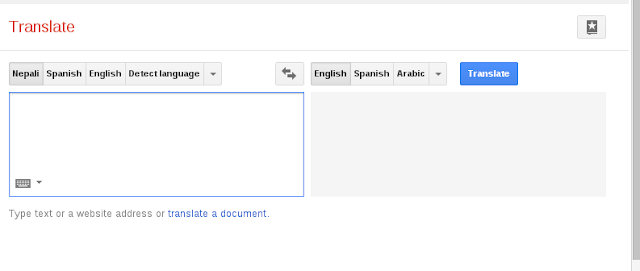
http://translate.google.com/ I believe you must be familiar with Google Translate . If you're not yet familiar then Wikipedia explains it as: "Google Translate  is a  free , multilingual  statistical   machine-translation  service provided by  Google Inc.  to translate written text from one language into another." Its been helping users in translating text and documents from one language to another language.  And now Google Translate has added Nepali Language too. This is a good news for all of us to have Nepali Language in Google Translate. Yet the Nepali Language conversion needs our support for better translation. If you are interested in making this service better than you can visit :   http://translate.google.com/question?hl=en&sl=ne&tl=en  and help Google Translate better in Nepali Language Translation. You don't have to write all the translations to contribute, you can just rate the already translated texts to c...

Adding Splash Screen in Roku Channel

Image
Roku Splash screen is the screen that appears in the screen before a channel's home screen is loaded. To add splash screen to your Roku application first off you need to create two images to be used as Splash Screen. One of the image will be used for SD  and the other for HD. Let Splash_SD43.jpg is the image for SD view and Splash_HD.jpg be for HD. The size of SD splash screen must be 720 x 480 and for HD splash screen must be 1280 x 720. Put both the images in images folder and add the following lines to manifest file. splash_screen_hd=pkg:/images/Splash_HD.jpg splash_screen_sd=pkg:/images/Splash_SD43.jpg splash_color=#000000 splash_min_time=5000 splash_screen_hd specifies the HD image, splash_screen_sd specifies the SD image, splash_color specifies the color of the splash background and splash_min_time is used for the splash time.