Posts

Why The Hell Would I Use Node.js? A Case-by-Case Tutorial

Image
Introduction JavaScript’s rising popularity has brought with it a lot of changes, and the face of web development today is dramatically different. The things that we can do on the web nowadays with JavaScript running on the server, as well as in the browser, were hard to imagine just several years ago, or were encapsulated within sandboxed environments like Flash or Java Applets. Before digging into Node.js , you might want to read up on the benefits of using JavaScript across the stack which unifies the language and data format (JSON), allowing you to optimally reuse developer resources. As this is more a benefit of JavaScript than Node.js specifically, we won’t discuss it much here. But it’s a key advantage to incorporating Node in your stack. As Wikipedia states: “Node.js is a packaged compilation of Google’s V8 JavaScript engine, the libuv platform abstraction layer, and a core library, which is itself primarily written in JavaScript.” Beyond that, it’s wort...

Solving "-bash: cannot create temp file for here-document: No space left on device"

Image
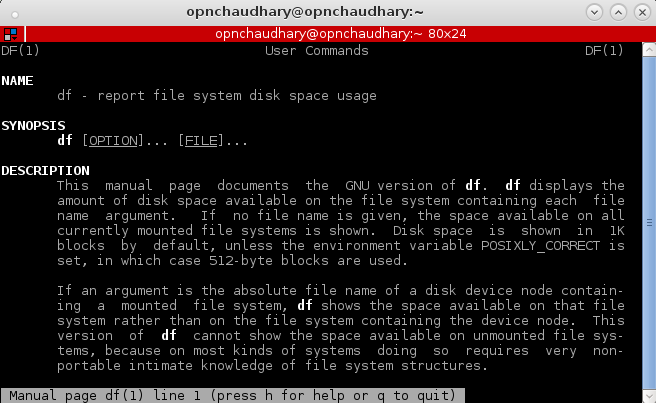
Today in this post, I am going to describe about a problem I faced while I was trying to update WowzaStreamingEngine in Ubuntu.  While I ran the script for the update I came to this problem that stated: -bash: cannot create temp file for here-document: No space left on device

How to play YouTube video in Android app

Image
In this post, I am going to show you how you can create an android app, that will play YouTube Video. Our app will have a simple play button. Clicking the play button will play a youtube video. We will be using this video from Youtube for our case : https://www.youtube.com/watch?v=ZENmkJk9fBM .

Adding android vendor rules in Arch Linux

Image
I had been using Ubuntu for a long time and then I had switch to ArchLinux a couple months ago. Ubuntu had been my development machine for a long time. And then when I moved to Arch, things weren't the same as in Ubuntu. The process was similar but with different commands. A similar issue I had was during adding android vendors to devices rules. I edited the file named:

Run VLC as root

Image
Running VLC as root user is absolute NO. However, we are going to do this. Read this post to know how? When I first installed Arch the default user was root. I know how to create users in Linux but I just wanted to run VLC as root. If you want too, go ahead and follow the steps below: Step one: install hexedit. For Arch Linux use pacman -S hexedit Step Two: backup vlc. cp -p /usr/bin/vlc /usr/bin/vlc_backup Step Three: Open vlc in hexedit, hexedit /usr/bin/vlc Step Four: Replace geteuid with getppid, a. Press TAB, to go to hex ASCII values b. To Search use Ctrl+s c. type geteuid and press enter then type getppid d. Press Ctrl+x to save Step Five: Start vlc as root

ArchLinux crashed with error 'Unable to find root device...Youre are being dropped to a recovery shell'

Image
After been using Ubuntu/Fedora alternately one after the other for couple of years, I decided to use Arch Linux because of its concept of rolling-release unlike Ubuntu/Fedora. So on February 23rd I installed Arch on my system. It was working all good till June 11,2016 evening. When I suddenly bumped into an error when I booted up my system. I don't know what cause the error. As far as I remember , I forgot the update that was running in my guake terminal last time when I shutdown my computer. And then when I came back to turn it on. I had this error on my screen:

How to enable root SSH login in amazon EC2 instance

Image
In amazon EC2 instances, by default SSH login is done using keys. And the root login is disabled for security reasons. But times come when we have to enable remote SSH login as root. My situation came when I was doing xstream installation. I had to enter my root ssh details in their dashboard to initiate the installation.  So, here I am going to show, what I did to enable root login using password in amazon EC2. The steps below were done in Ubuntu 14.04 64-bit. First lets enable login using password, to do this, change the line in /etc/ssh/sshd_config PasswordAuthentication no to PasswordAuthentication yes